Zalith Launcher IPA GitHub
Looking for the Zalith Launcher IPA on GitHub? You’re in the right place. Zalith Launcher is the most actively maintained Minecraft Java Edition launcher for Android — a community-driven successor to the now-archived PojavLauncher. The official IPA and APK releases are published directly on GitHub, giving you a safe, verified download every time.
This complete guide covers where to find the official Zalith Launcher IPA on GitHub, how to download and install it, and everything you need to know to get Minecraft Java Edition running on your Android device.
📋 What You Need Before Starting
- An Android device running Android 8.0 or higher
- A GitHub account (free) to access release assets
- At least 500MB free storage for the launcher and game files
- A valid Minecraft Java Edition account (Microsoft login)
Why Download Zalith Launcher from GitHub?
GitHub is the official source for all Zalith Launcher releases. Downloading from GitHub guarantees you get the latest stable version, verified build checksums, and release notes explaining exactly what changed. Third-party APK sites often host outdated or modified versions — GitHub is always the safest and most up-to-date option.
Official & Safe
Every release on GitHub is published by the Zalith developer directly. No modified APKs, no hidden malware — just the clean, verified build straight from the source.
Always Latest Version
GitHub Releases are updated every time a new version drops. You always see the newest build, full changelogs, and any hotfix patches the moment they are published.
Full Mod Support
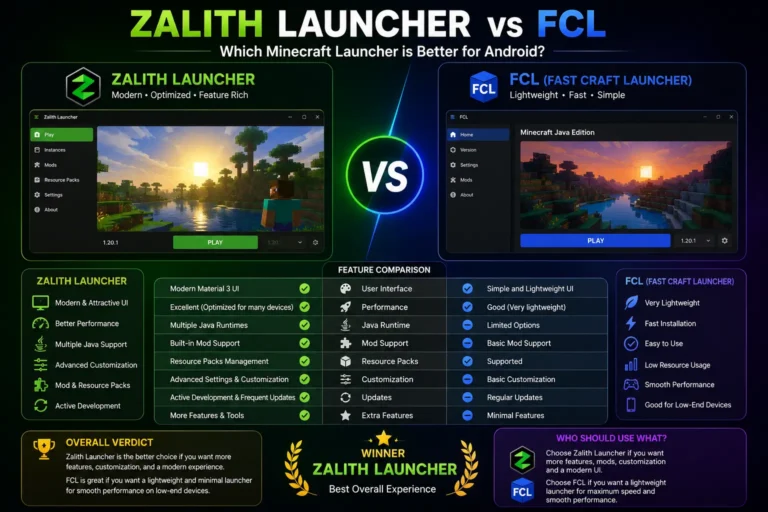
Zalith Launcher 2 supports Forge, Fabric, Quilt, and NeoForge — all in one launcher. Download mods, shaders, and resource packs directly from inside the app.
Zalith Launcher GitHub — Official Download Links
The official Zalith Launcher repositories are hosted on GitHub under the MovTery account. Use only these links to download — they are the verified, original sources.
| Version | GitHub Repository | Latest Release Page |
| Zalith Launcher (v1) | github.com/MovTery/ZalithLauncher | github.com/MovTery/ZalithLauncher/releases/latest |
| Zalith Launcher 2 (v2) | github.com/MovTery/ZalithLauncher2 | github.com/MovTery/ZalithLauncher2/releases/latest |
Important: Always download from the official GitHub releases page. On the releases page, look for the .apk file under Assets — that is the file you install on Android. Do not download source code ZIP files.
How to Download & Install Zalith Launcher IPA from GitHub
Method 1: Direct on Android
Open GitHub in your Android browser, go to Releases, and tap the APK to download and install directly.
Method 2: PC then Transfer
Download the APK on your PC and transfer it to your phone via USB cable or cloud storage.
Method 3: Direct APK Link
Use the direct download link from the GitHub releases page — works with any download manager app.
Step-by-Step — Download & Install from GitHub on Android
Open the GitHub Releases Page
On your Android device, open your browser and go to github.com/MovTery/ZalithLauncher2/releases/latest. This always redirects to the newest stable release.
Find the APK Under Assets
Scroll down to the Assets section of the release. Tap the .apk file to begin the download. Ignore the Source code ZIP files — those are for developers only.
Allow Unknown Sources (if prompted)
Android may ask permission to install apps from unknown sources. Go to Settings → Apps → Special App Access → Install Unknown Apps and enable it for your browser. This is safe when downloading from the official GitHub page only.
Install the APK
Once downloaded, tap the APK file in your notifications or file manager. Tap Install and wait for the installation to complete — usually under 30 seconds.
Sign In and Play
Open Zalith Launcher, sign in with your Microsoft account (the same one linked to your Minecraft Java Edition purchase). Select a Minecraft version, tap Play, and the launcher will download and launch the game.
Tip: After installing, check the launcher settings to allocate enough RAM for your device. 1–2GB is recommended for smooth gameplay on most Android phones.
Zalith Launcher v1 vs Zalith Launcher 2 — Which IPA to Download?
There are two active versions of Zalith Launcher on GitHub. Here is a quick comparison to help you pick the right one for your device.
| Feature | Zalith Launcher v1 | Zalith Launcher 2 |
| Status | Stable, maintained | Active development — recommended |
| UI Design | Classic layout | Fully redesigned modern interface |
| Mod Loaders | Forge, Fabric | Forge, Fabric, Quilt, NeoForge |
| Built-in mod browser | No | Yes — download mods inside the app |
| Recommended for | Older Android devices | Most users — best experience |
Recommendation: For most users, download Zalith Launcher 2 from GitHub. It is the most feature-rich version and receives the most frequent updates from the developer.
What’s New in the Latest GitHub Release
Every GitHub release includes a full changelog. Here is what recent Zalith Launcher 2 updates have brought to Android players.
- Improved MobileGlues renderer for better shader performance on mid-range Android devices.
- Added support for the latest Minecraft Java Edition versions including 1.21.x.
- Built-in mod browser now supports direct download from CurseForge and Modrinth.
- Redesigned game directory manager for easier world and mod organization.
- NeoForge mod loader support added — now compatible with the latest Forge-based mods.
- Various stability fixes and crash improvements reported by the community on GitHub Issues.
Stay updated: Star the Zalith Launcher 2 repository on GitHub to receive notifications whenever a new release is published. This way you never miss a performance update or new Minecraft version support.
What You Get with Zalith Launcher from GitHub
Installing Zalith Launcher from GitHub gives you the complete package — not just the launcher itself, but access to the entire Minecraft Java Edition ecosystem on Android.
| Feature | Zalith Launcher (GitHub) |
| Minecraft Java Edition support | 1.7.10 through 1.21.x |
| Mod loaders supported | Forge, Fabric, Quilt, NeoForge |
| Built-in mod browser | Yes (CurseForge + Modrinth) |
| Renderer | MobileGlues (better) + Virgl |
| Microsoft account login | Yes |
| Multiplayer support | Yes (online + LAN) |
| Shader support | Yes (.zip shaderpacks) |
| Price | Free & open source |
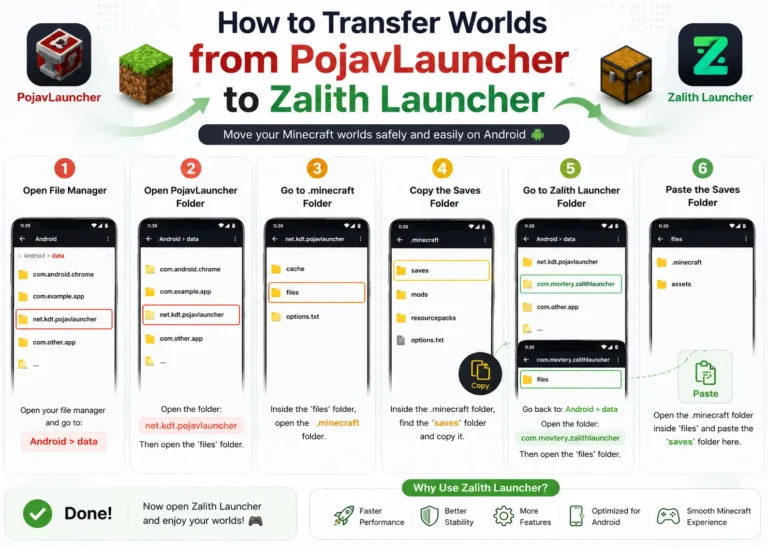
Transferring from PojavLauncher?
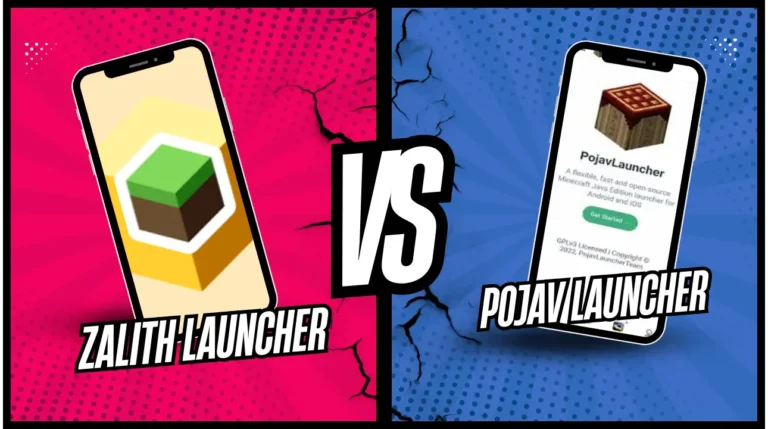
Performance improvements over PojavLauncher
Troubleshooting Zalith Launcher After Installing from GitHub
What Works
Common Problems & Fixes
FAQs
Common questions about Zalith Launcher IPA and GitHub downloads.
Conclusion
Zalith Launcher is the best way to play Minecraft Java Edition on Android in 2026 — and GitHub is the only place you should download it from. With its active development, MobileGlues renderer, built-in mod browser, and full support for Forge, Fabric, Quilt and NeoForge, it delivers a significantly better experience than the now-archived PojavLauncher.
Head to the official GitHub releases page, download the latest APK, install it on your Android device, and sign in with your Microsoft account. Your worlds, mods and shaders from PojavLauncher transfer over seamlessly — so you can pick up exactly where you left off, but with a better launcher underneath.
Also Read:Zalith Launcher June 2026 Update —Faster, Smarter & More Powerful!