Download Zalith Launcher 2 Latest v2.4.9 hotfix1 APK for Android
Zalith Launcher 2 (v2.4.9 Hotfix1) is a modern open-source Minecraft Java Edition launcher for Android, featuring a redesigned Material Design 3 interface, full joystick support, drag-and-drop mod installation, and Vulkan and OpenGL ES 3.2 rendering for smoother gameplay.
Enjoy seamless multi-version switching, improved performance, and desktop-quality Minecraft gaming on Android. Download the latest Zalith Launcher 2 v2.4.9 Hotfix1 to experience faster, more stable, and highly customizable Minecraft Java Edition gameplay.
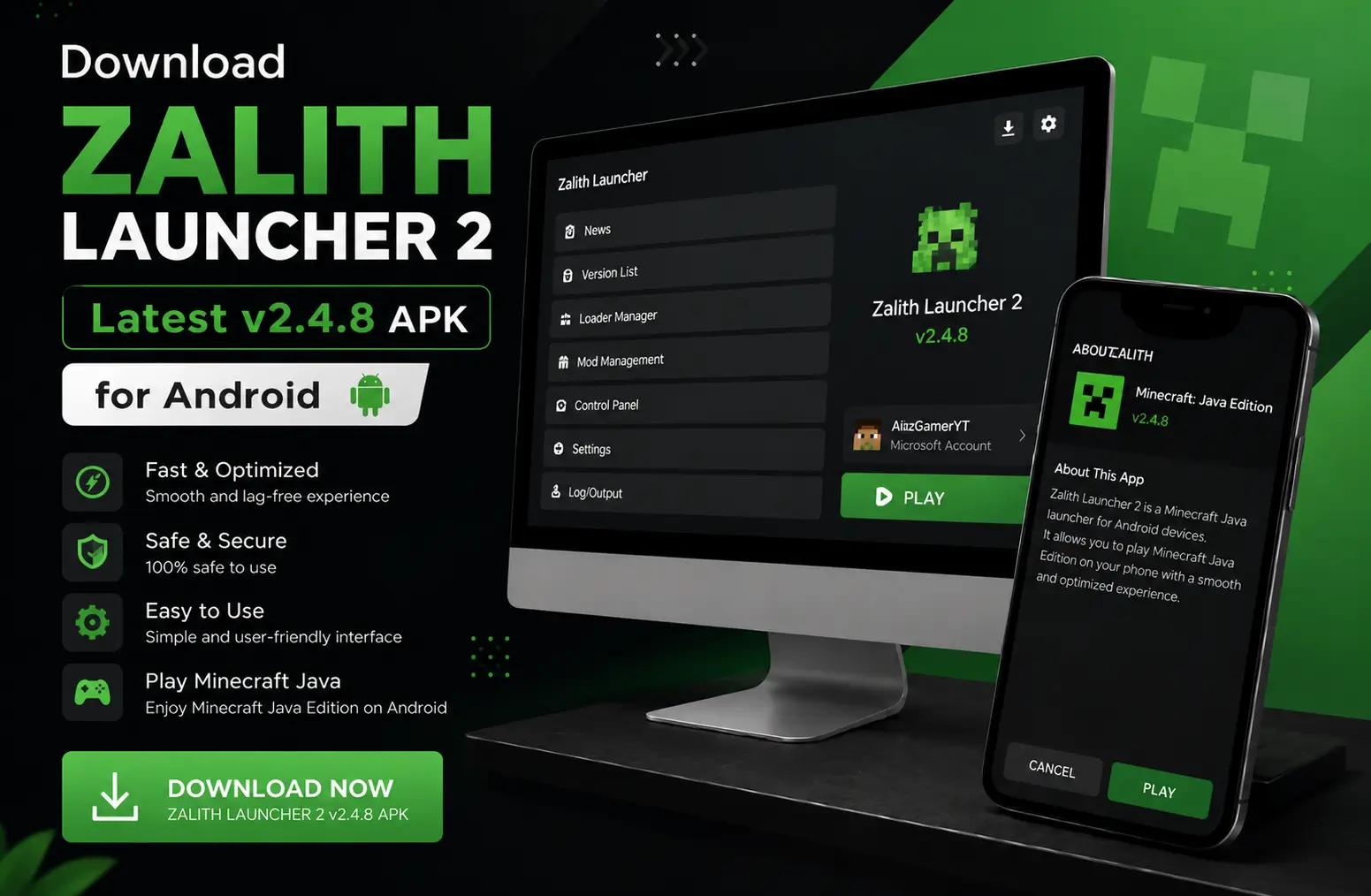
Zalith Launcher 2 v2.4.9 hotfix1 — App Information
| App Name | Zalith Launcher 2 |
| Version | v2.4.9 hotfix1 (Latest) |
| Developer | MovTery / ZalithLauncher Team |
| Platform | Android |
| Minimum Android | Android 8.0 (Oreo) |
| Recommended Android | Android 10.0 or higher |
| UI Framework | Jetpack Compose + Material Design 3 |
| Engine | PojavLauncher Core |
| Rendering | Vulkan / OpenGL ES 3.2 |
| License | GPL-3.0 (Open Source) |
| Play Store | Not Available — GitHub / Official Site Only |
| Game Support | Minecraft Java Edition (All Versions) |
APK Variants for All Device Architectures
Zalith Launcher 2 v2.4.9 hotfix1 provides separate APK builds for each Android processor type. Choose the correct one for best performance, or download the Universal APK if you are unsure of your device’s CPU architecture.
64-bit ARM chips
✅ Best for modern phones
32-bit ARM chips
⚠️ Older devices only
Intel 32-bit
▶ Android emulators
Intel 64-bit
▶ PC emulators
Supports ALL architectures
✅ Works on any device
| File | Processor Type | Best For |
|---|---|---|
| arm64-v8a | 64-bit ARM | Modern Android Phones |
| armeabi-v7a | 32-bit ARM | Older / Budget Devices |
| x86 | Intel 32-bit | Android Emulators |
| x86_64 | Intel 64-bit | PC-based Emulators |
| Universal | All Architectures | All Devices |
Zalith Launcher 2 vs Zalith Launcher 1 — What’s New?
Zalith Launcher 2 is a completely separate, ground-up redesign — not just an update. It uses a modern tech stack and adds major new capabilities that the original launcher never had.
| Feature | 🆕 Zalith Launcher 2 (v2.4.9 hotfix1) | Zalith Launcher 1 (v1.4.1.4) |
|---|---|---|
| UI Framework | Jetpack Compose + Material Design 3 | Legacy XML Layout |
| Joystick / Gamepad Support | ✅ Full Customizable Joystick | ❌ Not Available |
| Drag-and-Drop Mod Install | ✅ Yes | ❌ Manual Only |
| Modpack Auto-Install | ✅ Built-in | ❌ Not Available |
| Shader Pack Download | ✅ Integrated Manager | ⚠️ Manual Import |
| Resource Pack Download | ✅ Auto-Install | ⚠️ Manual Import |
| World Save Management | ✅ Download & Install | ⚠️ File Manager Only |
| Rendering API | Vulkan + OpenGL ES 3.2 | OpenGL ES 3.0+ |
| Weblate Translations | ✅ Multi-Language Live Sync | ❌ Limited |
| Screenshot Manager | ✅ Built-in | ❌ Not Available |
| Custom Home Page | ✅ Markdown Support | ❌ Not Available |
| Settings Style | Android 16 Style UI | Standard Style |
| Open Source (GitHub) | ✅ GPL-3.0 | ✅ GPL-3.0 |
| Microsoft Account Login | ✅ Yes | ✅ Yes |
Key Features of Zalith Launcher 2 v2.4.9 hotfix1
Zalith Launcher 2 v2.4.9 hotfix1 is packed with modern features that make it the most advanced Android Minecraft launcher available. From a redesigned Material Design 3 interface to full joystick support, Vulkan rendering, background blur effects, and a built-in screenshot manager — every aspect has been built for performance and ease of use.
Modern Material Design 3 Interface
Built with Jetpack Compose and Material Design 3 Expressive, the UI of Zalith Launcher 2 is sleek, smooth, and future-ready. Navigation is clean and intuitive — switch Minecraft versions, manage mods, and launch your world in just a few taps. The settings page is redesigned to match Android 16 style guidelines with background and foreground blur effects.

Full Joystick & Gamepad Support
Zalith Launcher 2 features complete joystick control support with fully customizable joystick appearance and independent style configuration. Button previews show Normal and Pressed states, and a blocking overlay prevents accidental actions during editor page switches. Hotbar interactions include double-tap to swap to offhand and long-press to drop. Connect any Bluetooth gamepad and play like a PC gamer on mobile.

Drag-and-Drop Mod & Modpack Installation
Installing mods has never been easier. Zalith Launcher 2 supports drag-and-drop mod installation and includes a built-in modpack download manager with automatic installation. Compatible with Fabric, Forge, NeoForge, and Quilt — add hundreds of mods without needing any third-party app or file explorer. External apps can also import modpacks directly.

Vulkan & OpenGL ES 3.2 Rendering
Zalith Launcher 2 supports both Vulkan and OpenGL ES 3.2 rendering backends for maximum compatibility and performance. Vulkan provides lower CPU overhead and better GPU utilization for high-end devices. Note: Minecraft 26.2+ requires Vulkan 1.2 support — the launcher automatically checks your device and warns you if it is not compatible.

Shader Pack & Resource Pack Manager
The integrated resource manager lets you browse, download, and auto-install shader packs and resource packs directly inside the launcher. No need to manually locate folders or use a file manager. Shader packs work with MobileGlues for realistic lighting, shadows and immersive visuals on Android. Download speed is now displayed for all download tasks.

Screenshot Manager & Multi-Language Support
The built-in screenshot manager lets you view and save all in-game screenshots with a single tap. Languages are synced live with the Weblate translation project — including Korean, Thai, and more community-contributed languages — making Zalith Launcher 2 accessible to players worldwide.
Java Runtime Requirements by Minecraft Version
Zalith Launcher 2 automatically downloads the correct Java runtime for your selected Minecraft version. Here is a quick reference guide so you know what to expect.
| Minecraft Version Range | Required Java Runtime | Notes |
| 1.8 – 1.16.x | Java 8 | Classic modding era — Forge heavy |
| 1.17.x | Java 16 | Transition version |
| 1.18 – 1.20.4 | Java 17 | Stable LTS — most mods target this |
| 1.20.5 and newer | Java 21 | Latest Minecraft — full modern support |
The launcher handles all Java downloads automatically. Simply select your desired Minecraft version and tap Play — Zalith Launcher 2 will fetch and configure the correct runtime without any manual setup.
How to Download & Install Zalith Launcher 2 on Android
Follow these simple steps to get Zalith Launcher 2 v2.4.9 hotfix1 running on your Android device safely and correctly.
STEP 1
Download the APK
Visit the official GitHub releases page or tap the Download button below. Choose the Universal APK if you are unsure which architecture your device uses.
STEP 2
Enable Unknown Sources
Go to Android Settings → Security → Enable “Install from Unknown Sources” or “Install Unknown Apps.” This allows APK files from outside the Play Store to be installed on your device.
STEP 3
Install the APK
Locate the downloaded APK in your Files app and tap it to begin installation. Follow the on-screen prompts. The installation takes only a few seconds.
STEP 4
Log In & Choose a Minecraft Version
Open the launcher and sign in with your Microsoft account for official gameplay, or use Offline Mode. Go to the Versions tab, select your desired Minecraft Java Edition version, and choose a mod loader (Fabric or Forge) if needed.
STEP 5
Add Mods, Shaders & Resource Packs
Use the built-in mod manager to drag-and-drop mods or browse the modpack library. Install shader packs from the Shaders section and resource packs from the Resource Pack manager. Enable MobileGlues for enhanced graphics rendering.
STEP 6
Tap Play & Start Your World
Hit the Play button. The launcher automatically downloads all required Java runtime files and Minecraft game assets. Your saved worlds remain untouched even across version switches.
How to Update Safely — Keep Your Saves & Data
Many players worry about losing saved worlds or settings when updating. The safest method in 2026 is in-place installation — installing the new version directly over the old one without uninstalling first.
Download the new APK
Get the latest v2.4.9 hotfix1 from the official GitHub releases page or the download button on this page.
Install over the existing app
Do NOT uninstall the old version first. Tap the APK file and Android will recognize it as an update and install on top.
Open and let it refactor files
Launch the app and allow it to refactor internal files if prompted. Your save worlds and configurations will remain untouched.
Migrating from Zalith Launcher 1
If upgrading from v1, manually copy your saves folder from the old directory to the new com.movtery.zalithlauncher2 path.
System Requirements for Zalith Launcher 2
To run Zalith Launcher 2 and Minecraft Java Edition smoothly on Android, your device should meet the following requirements. Using a device that meets the recommended specs allows you to enable shaders, high-quality graphics, and stable multiplayer.
| Requirement | Minimum | Recommended |
|---|---|---|
| Android Version | Android 8.0 (Oreo) | Android 10.0 or higher |
| RAM | 3GB Device RAM | 6GB or higher |
| Free Storage | 1.5GB | 3GB or more |
| Processor | Mid-range ARM64 CPU | High-performance Snapdragon / Dimensity |
| GPU / Rendering | OpenGL ES 3.0+ | OpenGL ES 3.2 or Vulkan 1.2 support |
| Internet | Required (first launch + mods) | Stable broadband for multiplayer |
Best Performance Settings for Smooth Gameplay
Getting the right settings is key to a lag-free experience. Zalith Launcher 2 gives you full control over graphics quality, render distance, FPS limits and more. Use these recommended settings as a starting point for your device.
| Setting | Budget Device | Mid-Range Device | High-End Device |
|---|---|---|---|
| RAM Allocation | 1.5GB | 2GB | 3–4GB |
| Graphics Quality | Fast | Fast / Custom | Fancy |
| Render Distance | Tiny (4) | Short (8) | Normal (12+) |
| Max FPS Cap | 30 | 60 | Unlimited |
| MobileGlues Plugin | Disabled | Enabled | Enabled + Shaders |
| Rendering API | OpenGL ES 3.0 | OpenGL ES 3.2 | Vulkan (requires Vulkan 1.2) |
| V-Sync | Off | Optional | On |
Advantages & Limitations of Zalith Launcher 2
Zalith Launcher 2 is the most advanced open-source Android Minecraft launcher in 2026. However like any app it has both strengths and limitations worth knowing before you download.
✅ Pros
❌ Cons
Zalith Launcher 2 vs Other Android Minecraft Launchers
How does Zalith Launcher 2 compare to PojavLauncher and other popular Android Minecraft launchers? Here is a detailed feature-by-feature breakdown.
| Feature | Zalith Launcher 2 | PojavLauncher | FCL Launcher |
|---|---|---|---|
| UI Design | Material Design 3 | Basic / Dated | Modern |
| Joystick Support | ✅ Full Custom | ⚠️ Limited | ✅ Yes |
| Drag-Drop Mods | ✅ Yes | ❌ No | ❌ No |
| Modpack Manager | ✅ Auto-Install | ❌ No | ⚠️ Basic |
| Shader Manager | ✅ Integrated | ❌ Manual | ⚠️ Manual |
| Screenshot Manager | ✅ Built-in | ❌ No | ❌ No |
| Vulkan Support | ✅ Yes (Vulkan 1.2 check) | ✅ Yes | ✅ Yes |
| Weblate Translations | ✅ Live Sync | ❌ No | ❌ No |
| World Save Manager | ✅ Download & Install | ❌ Manual | ❌ Manual |
| Custom Home Page | ✅ Markdown Support | ❌ No | ❌ No |
| Open Source | ✅ GPL-3.0 | ✅ GPL-3.0 | ✅ GPL-3.0 |
| Active Development | ✅ Very Active | ⚠️ Slowing | ✅ Active |
Zalith Launcher 2 leads the field in 2026 thanks to its modern interface, rich feature set, and active development. It is considered the best Minecraft Java Edition launcher for Android by the majority of the mobile gaming community.
Common Issues & Fixes for Zalith Launcher 2
Running into problems? Here are the most common issues reported by users and their proven solutions.
1. Launcher Won’t Install
Fix: Enable “Install from Unknown Sources” in Android Settings. Ensure at least 1.5GB free storage. Re-download the APK from the official GitHub release page and try again.
2. Minecraft Crashes on Launch
Fix: Allocate at least 2GB RAM. Check that your selected mod loader (Forge/Fabric) matches the Minecraft version. Reduce graphics to Fast mode and disable heavy shaders temporarily.
3. Black Screen After Launch
Fix: Your device may not support the selected rendering API. Switch from Vulkan to OpenGL ES in the launcher settings. For Minecraft 26.2+, ensure your device supports Vulkan 1.2 — the launcher will warn you automatically if it does not.
4. Mods Not Loading
Fix: Make sure the mod is compatible with your selected Minecraft version and mod loader. Install mods one by one to identify conflicts. Re-import the mod file using the drag-and-drop interface.
5. Low FPS / Severe Lag
Fix: Set Graphics to Fast, reduce render distance to Short (8 chunks), close all background apps, disable shaders, and keep your device cool. Enable MobileGlues for a better performance-to-quality ratio.
6. Joystick Not Working
Fix: Go to the Controls settings in Zalith Launcher 2 and enable Joystick mode. Reconfigure joystick style and button layout. Ensure your Bluetooth gamepad is paired before launching the game.
FAQs
Answers to the most common questions about Zalith Launcher 2 v2.4.9 hotfix1.
Conclusion
Zalith Launcher 2 v2.4.9 hotfix1 is the definitive Minecraft Java Edition launcher for Android in 2026. With its Material Design 3 Expressive interface, full joystick support, drag-and-drop mod management, Vulkan rendering, integrated shader and resource pack managers, built-in screenshot manager, and customizable home page, it brings true desktop-quality Minecraft to your phone.
Whether you are a casual player who just wants to jump into a world or an advanced user building a modded experience with custom shaders and dozens of mods, Zalith Launcher 2 has everything you need. It is open source, actively developed, and free to download. The only requirement is an Android device running 8.0 or higher.