Zalith Launcher vs FCL (Fast Craft Launcher) — Which is Better?
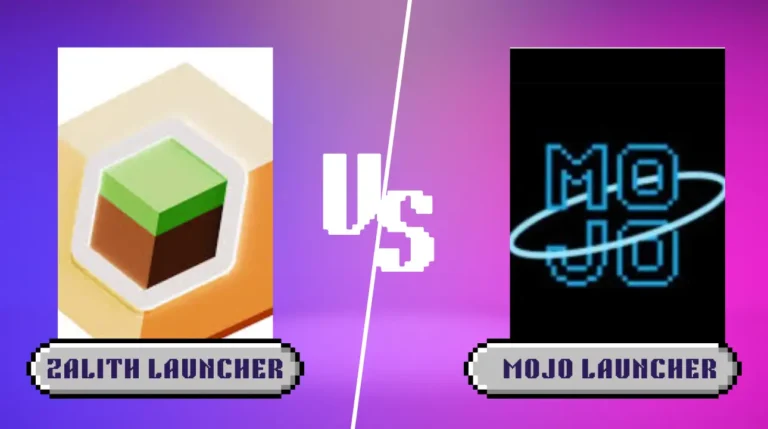
When it comes to playing Minecraft Java Edition on Android, choosing the right launcher is one of the most important decisions you can make. Two of the most popular options available today are Zalith Launcher and FCL (Fold Craft Launcher). Both are free, open-source tools that allow Android players to run real Minecraft Java Edition on their phones — but they differ significantly in design, performance, mod support, and overall user experience.
Zalith Launcher is built on top of PojavLauncher with a clean Material Design 3 interface, while FCL is developed by the FCL-Team using a combination of HMCL’s core features and PojavLauncher’s backend engine. Each launcher has its own strengths, target audience, and use cases. Whether you are a beginner looking for ease of use or an advanced player wanting full mod control, this guide will help you decide which launcher is right for you.
This complete comparison covers everything — UI design, performance, mod loader support, file management, controls, shader support, device compatibility, and more. By the end, you will have a clear answer on which launcher best suits your needs in 2026.
Zalith Launcher
Best for: Beginners & Performance-focused players
- Modern Material Design 3 UI (Jetpack Compose)
- Built-in file manager
- Forge, Fabric, Quilt, NeoForge support
- MobileGlues shader support (250+ FPS reported)
- Gesture-based touch controls (2025 update)
- Microsoft + offline login
- GPL-3.0 open-source
FCL (Fold Craft Launcher)
Best for: Advanced users & HMCL power features
- HMCL core + PojavLauncher & Boat backend
- Modular architecture (FCL / FCLCore / FCLauncher)
- Forge, Fabric, OptiFine support
- Custom input mapping & controls editor
- OpenGL / Vulkan rendering pipeline
- Multi-language localization
- GPL-3.0 open-source
What Are Zalith Launcher and FCL?
Before diving into the comparison, it is important to understand what each launcher is and how it works. Both tools exist because Mojang has never officially released a Minecraft Java Edition client for Android. These launchers fill that gap by using compatibility layers to translate Java and OpenGL instructions into something Android hardware can process.
Zalith Launcher — Overview
Zalith Launcher is an open-source Android application developed by MovTery and the Zalith Team. It is built directly on top of PojavLauncher’s core engine but introduces a significantly improved user experience. The original Zalith Launcher (v1) has since been archived by its developers, who now focus exclusively on Zalith Launcher 2 — a ground-up redesign using Jetpack Compose and Material Design 3, with a stable public release reaching version 2.0.0 on December 31, 2025.
Zalith Launcher 2 works by translating OpenGL calls from Minecraft’s Java engine into Vulkan or OpenGLES instructions that Android devices can understand. This allows the full Minecraft Java Edition to run on mobile hardware without emulation. The launcher handles everything from version management and mod installation to shader configuration and login — all in one clean interface.
FCL (Fold Craft Launcher) — Overview
FCL (Fold Craft Launcher) is developed by the FCL-Team and is based on the core functionality of HMCL (Hello Minecraft! Launcher) combined with PojavLauncher’s backend engine and the Boat rendering backend. FCL brings a feature set that is more aligned with desktop Minecraft launchers like HMCL, making it a popular choice among experienced Minecraft players who are already familiar with PC-style launcher interfaces.
FCL follows a modular codebase structure — separating UI, core game logic, native bridge components and reusable libraries into distinct modules. This makes it highly extensible but also more complex for new users to navigate. It supports a wide range of Minecraft versions, mod loaders and includes a sophisticated custom input mapping system for Android controls.
UI and User Experience Comparison
The user interface is often the first thing players notice. A well-designed UI makes launcher setup faster, reduces errors and makes it easier to manage mods, profiles and game versions. Here is how Zalith Launcher and FCL compare in terms of design and usability.
Zalith Launcher 2 — UI Design
Zalith Launcher 2 was built from scratch using Jetpack Compose and Material Design 3, Google’s latest Android design language. The result is a modern, clean and responsive interface that feels native to Android. Navigation is intuitive, settings are clearly labeled and the entire launcher is optimised for both touch and controller input. The September 2025 update added gesture-based inventory interaction, making gameplay feel truly natural on a touchscreen.
FCL — UI Design
FCL’s interface is inherited from HMCL, which means it looks and functions much like a traditional PC Minecraft launcher adapted for mobile. For players coming from HMCL on desktop, this will feel instantly familiar. However, for new Android users, the interface can feel more complex and less intuitive than Zalith’s modern design. FCL offers a lot of configuration options, which is both a strength and a drawback depending on your experience level.
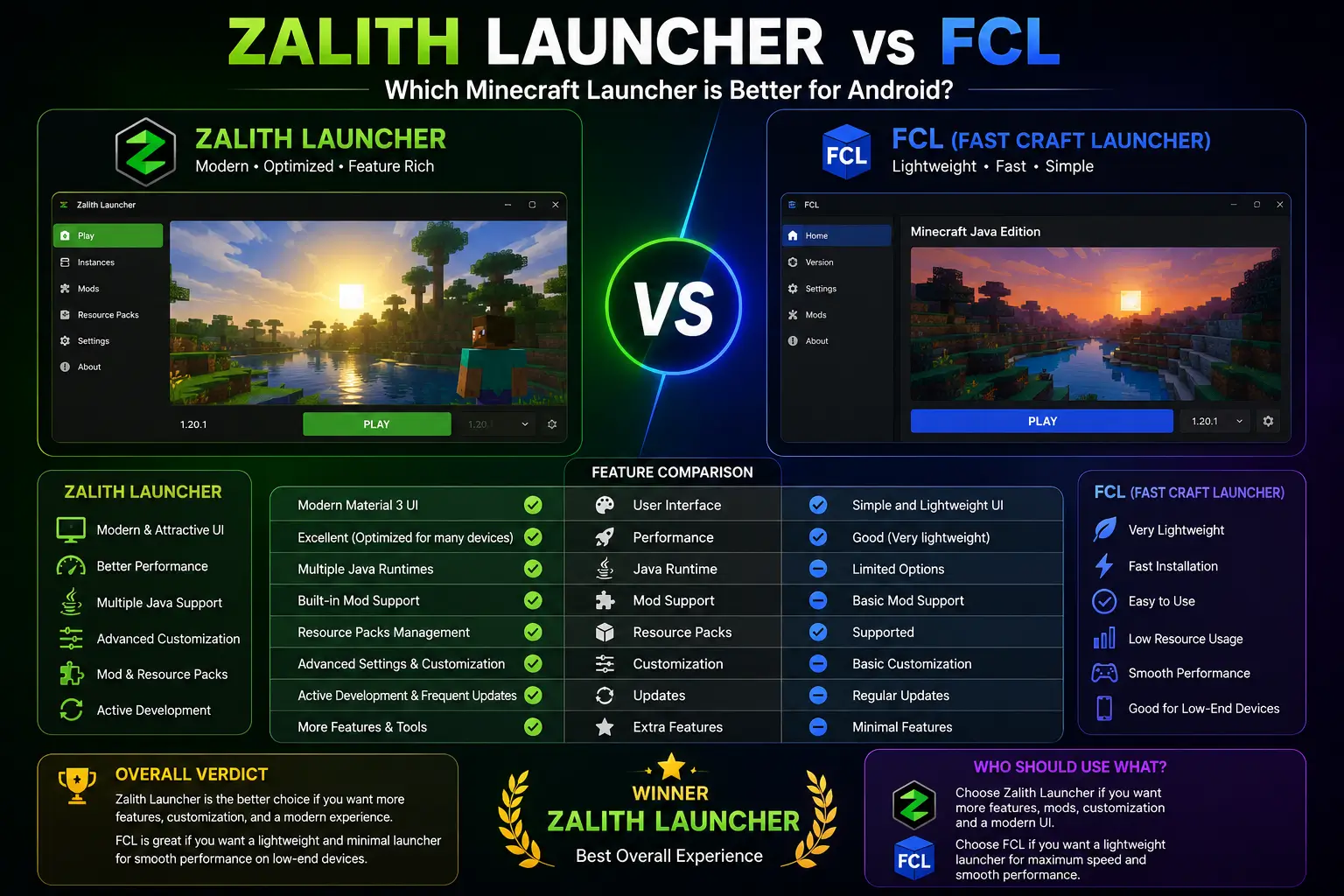
Winner — UI & UX: Zalith Launcher 2 wins for its modern, beginner-friendly Material Design 3 interface. FCL is better suited for users already familiar with HMCL.
Performance and Speed
Performance is arguably the most critical factor when choosing a Minecraft launcher for Android. Low FPS, stutters and crashes can ruin the gameplay experience entirely. Here is how both launchers perform across different device types and scenarios.
Zalith Launcher 2 Performance
Zalith Launcher 2 is specifically optimized for performance on modern Android hardware. Its built-in performance tweaks allow users to configure rendering options, Java memory allocation and FPS targets directly within the launcher. With the MobileGlues rendering plugin properly configured, players report achieving over 250 FPS on compatible devices. The launcher handles heavy mods efficiently and is designed to minimise lag on both mid-range and flagship Android devices.
FCL Performance
FCL uses a dual-backend rendering approach, combining PojavLauncher’s backend with the Boat rendering backend. This gives it flexibility across a wide range of devices and OpenGL configurations. However, performance tuning in FCL requires more manual configuration compared to Zalith. Advanced users who understand Java settings and renderer options can achieve excellent performance, but casual players may struggle to find the right settings without guidance.
| Performance Category | Zalith Launcher 2 | FCL (Fold Craft Launcher) |
| Max Reported FPS | 250+ FPS (with MobileGlues) | Varies by renderer & settings |
| Low-End Device Support | Excellent (lightweight, optimized) | Good (requires manual tuning) |
| Shader Support | MobileGlues, Vulkan rendering | OpenGL / Vulkan / Boat backend |
| Startup Speed | Fast (Jetpack Compose UI) | Moderate |
| RAM Management | Manual allocation via settings | Manual via Java arguments |
| Stability | High (actively maintained, 2026) | High (stable releases on GitHub) |
Mod Loader and Mod Support
Mod support is one of the most important reasons players use third-party launchers. The ability to install and manage popular mod loaders determines which mods you can use and how easily you can set them up. Here is a direct comparison of mod loader support in both launchers.
Zalith Launcher 2 — Mod Support
Zalith Launcher 2 supports all four major Minecraft mod loaders: Forge, Fabric, Quilt, and NeoForge. You can install and manage mods directly within the launcher using a simple drag-and-drop system that mirrors the desktop Minecraft experience. The launcher also handles Fabric API and Quilt API automatically during game downloads — a major convenience that saves time and avoids common setup errors. The built-in file manager further simplifies mod installation, especially on Android 11+ where storage permissions can be problematic.
FCL — Mod Support
FCL supports Forge, Fabric, and OptiFine. Its HMCL-based core provides a well-structured mod and content system inherited from one of the most respected PC Minecraft launchers. The FCL-Team maintains a separate content repository (FCL-Repo) for managing assets, mods and launcher files. FCL’s modular codebase also makes it possible to extend mod management capabilities. However, FCL currently does not natively support NeoForge, which is an increasingly popular loader for newer Minecraft versions.
| Mod Loader | Zalith Launcher 2 | FCL (Fold Craft Launcher) |
| Minecraft Forge | ✅ Full Support | ✅ Full Support |
| Fabric | ✅ Full Support + Auto API | ✅ Full Support |
| Quilt | ✅ Full Support + Auto API | ⚠️ Limited / Unofficial |
| NeoForge | ✅ Full Support | ❌ Not natively supported |
| OptiFine | ✅ Supported | ✅ Full Support |
| Built-in Mod Manager | ✅ Drag-and-drop system | ⚠️ Via FCL-Repo & manual install |
| Auto API Handling | ✅ Fabric & Quilt API auto-install | ❌ Manual setup required |
Winner — Mod Support: Zalith Launcher 2 edges ahead with support for all four major loaders, automatic API handling, and an easier drag-and-drop mod installation system.
Key Features — Side by Side
Below is a full feature comparison covering every major aspect of both launchers. Use this table to quickly identify which launcher matches your requirements.
| Feature | Zalith Launcher 2 | FCL (Fold Craft Launcher) |
| Developer / Team | MovTery & Zalith Team | FCL-Team |
| Core Engine | PojavLauncher backend | HMCL core + PojavLauncher + Boat backend |
| UI Framework | Jetpack Compose + Material Design 3 | HMCL-inherited Android UI |
| License | GPL-3.0 (Open Source) | GPL-3.0 (Open Source) |
| Latest Stable Version | v2.4.4 (2026) | Active releases on GitHub (2026) |
| Minecraft Java Support | All versions | All versions |
| Forge Support | ✅ Yes | ✅ Yes |
| Fabric Support | ✅ Yes (Auto API) | ✅ Yes |
| Quilt Support | ✅ Yes (Auto API) | ⚠️ Limited |
| NeoForge Support | ✅ Yes | ❌ No |
| OptiFine Support | ✅ Yes | ✅ Yes |
| Shader Support | MobileGlues, Vulkan | OpenGL, Vulkan, Boat renderer |
| Built-in File Manager | ✅ Yes | ❌ No (requested feature) |
| Touch Control Customization | ✅ Gesture-based (Sept 2025) | ✅ Advanced custom input editor |
| Controller Support | ✅ Yes | ✅ Yes |
| Microsoft Login | ✅ Yes | ✅ Yes |
| Offline / Local Login | ✅ Yes | ✅ Yes |
| Multiplayer Server Support | ✅ Yes | ✅ Yes |
| Community Translations | Weblate (multi-language) | Built-in multi-language (XML) |
| Beginner Friendly | ✅ Highly recommended | ⚠️ Better for experienced users |
| Advanced Configuration | ✅ Moderate | ✅ Extensive |
Who Should Use Which Launcher?
Both launchers are excellent tools, but they serve slightly different audiences. Use the breakdown below to identify which launcher is the right fit for your gaming style and experience level.
Choose Zalith Launcher 2 If You:
Choose FCL (Fold Craft Launcher) If You:
Also Read: Zalith Launcher and Pojav Launcher Best Choice for Java Minecraft ON Android (2026)
How to Install Both Launchers on Android
Installing both launchers is straightforward, but there are a few important steps to follow to ensure a safe and successful setup. Always download from official or trusted sources to avoid malware or corrupted files.
How to Install Zalith Launcher 2
- Download the APK: Visit the official Zalith Launcher 2 GitHub repository or a trusted download page and download the latest APK file.
- Enable Unknown Sources: Go to Android Settings → Security → Enable “Allow installation from unknown sources” or “Install unknown apps” for your browser or file manager.
- Install the APK: Open the downloaded APK file and follow the installation prompts.
- Grant File Permissions: When prompted, allow access to all files so the launcher can create the .minecraft directory and manage mod files.
- Add Your Account: Select “Add Account” and log in with your Microsoft account for official servers or use a local account for offline play.
- Download Minecraft: Select the Minecraft version you want to play and let the launcher download the required files automatically.
- Install a Mod Loader (Optional): Navigate to the mod loader section and select Forge, Fabric, Quilt, or NeoForge for your chosen Minecraft version.
- Launch and Play: Hit the Play button. For best results, select Java 17 or Java 21 depending on your Minecraft version.
How to Install FCL (Fold Craft Launcher)
- Download FCL APK: Visit the official FCL-Team GitHub page (github.com/FCL-Team/FoldCraftLauncher) and download the latest release APK.
- Enable Unknown Sources: Allow APK installation from your browser or file manager in Android Settings → Security.
- Install FCL: Open the APK and complete the installation process.
- Set Up Java Runtime: FCL requires a compatible Java runtime. Select Java 17 or Java 21 inside the launcher settings for Minecraft 1.17 and above.
- Add Your Minecraft Account: Use Microsoft login for multiplayer or a local account for offline play.
- Choose Renderer: Select your preferred rendering backend (PojavLauncher or Boat) in the settings based on your device’s GPU capabilities.
- Download Your Minecraft Version: Select and download the Minecraft version you want from the version management panel.
- Configure Controls: Use the FCL control editor to set up touch or controller input before launching the game.
Tips for Best Performance on Both Launchers:
Common Issues and Solutions
Even with proper setup, players occasionally encounter issues with Android Minecraft launchers. Here are the most common problems and their solutions for both Zalith Launcher 2 and FCL.
FAQs
Answers to the most common questions about Zalith Launcher vs FCL.
Final Verdict — Which Launcher Wins?
Both Zalith Launcher 2 and FCL are excellent tools for playing Minecraft Java Edition on Android. Each one serves a specific type of player, and neither is objectively wrong to use.
Zalith Launcher 2 is the better choice for the majority of players. Its modern Material Design 3 interface, support for all four major mod loaders (including NeoForge), built-in file manager, automatic API handling, gesture-based touch controls and impressive 250+ FPS performance with MobileGlues make it the most complete and beginner-friendly Android Minecraft launcher available in 2026. It is actively maintained by the MovTery team and receives regular, stable updates.
FCL (Fold Craft Launcher) remains a strong choice for experienced users who prefer the HMCL-style interface, need the Boat rendering backend for specific shader setups, or require FCL’s advanced custom control editor. It also brings a powerful modular architecture for developers who want to build on or customise the launcher.
If you are just getting started with Minecraft Java Edition on Android, go with Zalith Launcher 2. If you are an experienced Minecraft player moving from HMCL on PC and want that same level of control on mobile, FCL is a solid alternative. You can always try both — they are free, open-source, and easy to install side by side on the same Android device.