
Zalith Launcher iOS — How to Install on iPhone/iPad
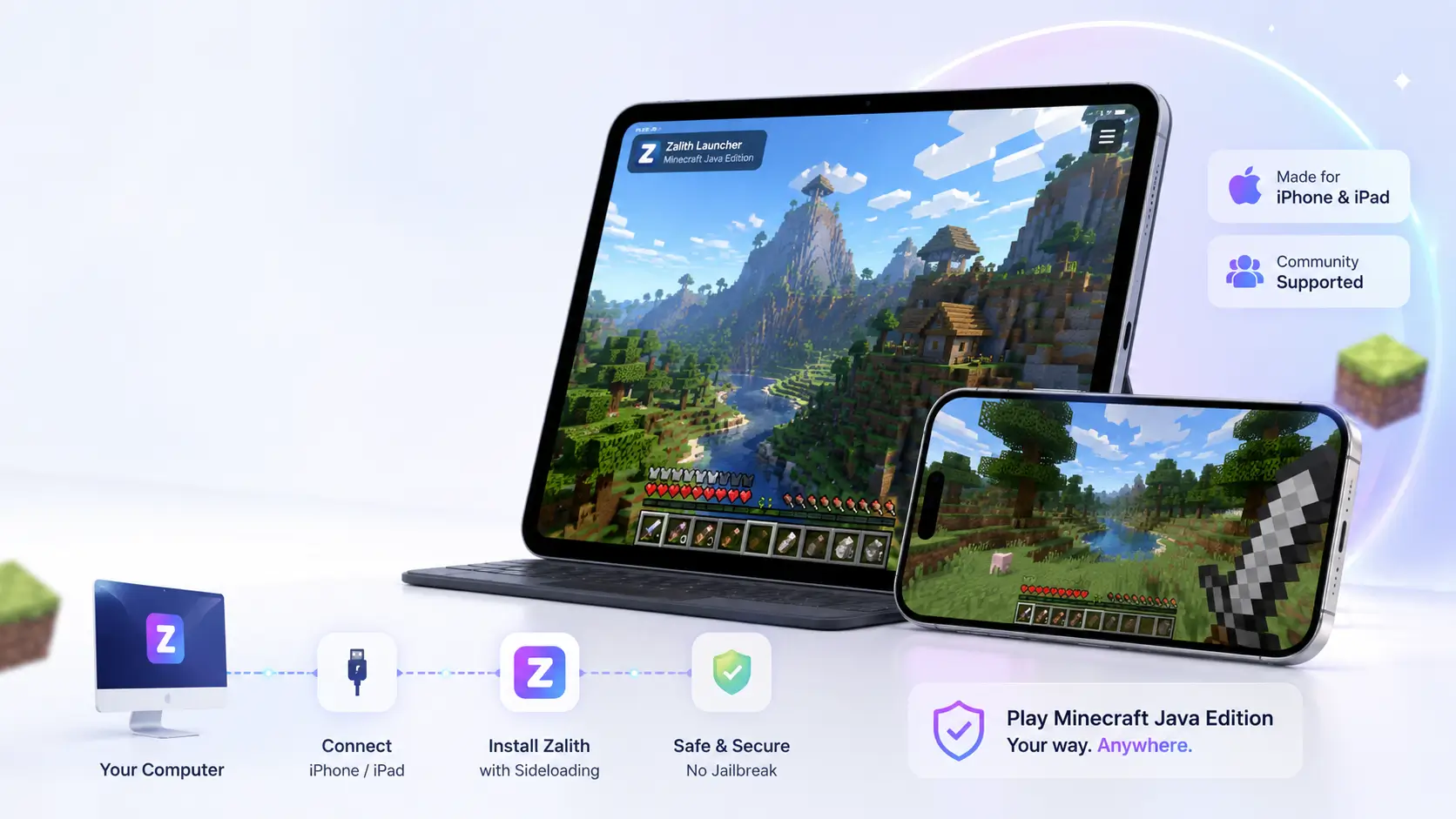
Zalith Launcher is not officially available on the Apple App Store for iOS. However, iPhone and iPad users can still run Minecraft Java Edition by using alternative sideloading methods such as AltStore or Sideloadly. This guide walks you through every step of the process safely and clearly.
Zalith Launcher iOS is a community-supported adaptation of the popular Android launcher. It allows players to enjoy Minecraft Java Edition on their Apple devices without jailbreaking. The process requires a few extra steps compared to Android, but the result is a fully functional Java gameplay experience on iPhone and iPad.
Key Features of Zalith Launcher on iOS
Zalith Launcher brings the full Minecraft Java Edition experience to iOS devices. It is built on the PojavLauncher framework and optimized to run smoothly on modern iPhones and iPads. The launcher supports multiple Minecraft versions and provides a clean interface that works well with touch controls.
It includes support for mod loaders like Fabric, making it possible to add performance mods such as Sodium and Lithium. Players can manage custom resource packs, tweak Java arguments for better performance and even join multiplayer servers — all from their iOS device.
Multi-Version Support
Zalith Launcher iOS supports Minecraft Java Edition from legacy versions like 1.7.10 all the way to the latest releases. Switch versions without losing your worlds, perfect for testing mods or reliving older gameplay memories on iPhone and iPad.

No Jailbreak Required
Installing Zalith Launcher on iOS does not require jailbreaking your device. Using sideloading tools like AltStore or Sideloadly keeps your device secure and running official iOS firmware while still allowing Java Minecraft gameplay.

Fabric Mod Support
Zalith Launcher iOS supports the Fabric mod loader. Add performance-boosting mods like Sodium, Lithium and Iris Shaders to transform your Minecraft experience. Mod management is handled directly inside the launcher for a smooth workflow.

Touch-Optimized Controls
The launcher includes a customizable on-screen controller layout designed for iPhone and iPad touch screens. Players can reposition buttons, adjust sensitivity and enable gyroscope camera control for a console-like feel without any external hardware.

MobileGlues Performance Layer
Like the Android version, the iOS build benefits from the MobileGlues rendering layer. This improves shader compatibility and overall frame rates on Apple’s Metal GPU architecture, giving players smoother visuals even on older devices like iPhone 12 and iPad Air.
Multiplayer Ready
Zalith Launcher iOS is fully compatible with Minecraft Java Edition multiplayer servers. Connect to any Java server by IP address. Cross-play with PC and other Java players is supported, making it a genuine Java Edition client in your pocket.
iOS Device Requirements for Zalith Launcher
Before installing, make sure your device meets the following requirements. Zalith Launcher runs well on most modern iPhones and iPads. Older 32-bit devices (iPhone 5 and below) are not supported. Below are the minimum and recommended specifications:
| Requirement | Minimum | Recommended |
| iOS Version | iOS 14 | iOS 16 or higher |
| Device | iPhone 8 / iPad (6th gen) | iPhone 12 or newer / iPad Pro |
| RAM | 2 GB | 4 GB or more |
| Storage | 500 MB free | 2 GB or more free |
| Processor | Apple A11 Bionic | Apple A14 or newer |
| Internet | Required for first launch | Stable Wi-Fi recommended |
| Sideload Tool | AltStore or Sideloadly | AltStore (easiest method) |
| Apple ID | Free Apple ID (7-day refresh) | Apple Developer Account (1-year) |
Choose Your Sideloading Method
There are three main ways to sideload Zalith Launcher onto your iPhone or iPad. Choose the method that best suits your setup:
AltStore
- Free to use with any Apple ID
- App refreshes every 7 days automatically
- Requires a PC or Mac with AltServer installed
- Best option for most users
Sideloadly
- Supports Windows and macOS
- No extra software dependency after setup
- 7-day certificate refresh required (free Apple ID)
- Good alternative if AltStore has issues
Apple Developer
- Requires paid Apple Developer account ($99/year)
- App lasts 365 days without refresh
- Most stable and convenient long-term option
- Recommended for serious players
Tip: For most users, AltStore is the recommended starting point. It is free, well-documented and widely supported by the community.
How to Download and Install Zalith Launcher on iOS (Step by Step)
Follow these steps carefully. The process uses AltStore as it is the most beginner-friendly method. Make sure your iPhone or iPad is updated to iOS 14 or higher before you begin.
Method 1 — Install via AltStore (Recommended)
- On your PC or Mac, go to altstore.io and download AltServer for your operating system.
- Install AltServer and launch it. It will appear in your system tray or menu bar.
- Connect your iPhone or iPad to your computer using a USB cable.
- Trust your computer on your iOS device when prompted.
- In AltServer, click Install AltStore and select your device.
- Enter your Apple ID when asked — this is used only to sign the app locally.
- AltStore will now install on your iPhone or iPad.
- On your iOS device go to Settings > General > VPN & Device Management and trust your Apple ID certificate.
- Download the latest Zalith Launcher IPA file from the official source (link below).
- Open AltStore on your device, tap the + button and select the downloaded IPA file.
- Wait for installation to complete. Zalith Launcher will appear on your home screen.
- Open Zalith Launcher, log in with your Minecraft account and select your version to play.
Method 2 — Install via Sideloadly (Windows / Mac)
- Download Sideloadly from sideloadly.io on your computer.
- Download the Zalith Launcher .IPA file from the official GitHub releases page.
- Connect your iPhone or iPad via USB. Open Sideloadly.
- Drag and drop the IPA file into the Sideloadly window.
- Enter your Apple ID and click Start.
- On your device, go to Settings > General > VPN & Device Management and trust the certificate.
- Open Zalith Launcher from your home screen and enjoy Minecraft Java Edition.
⚠️ Free Apple IDs require re-signing every 7 days. Connect to Sideloadly and repeat the process to refresh.
How to Add Mods on Zalith Launcher iOS
Once Zalith Launcher is running on your iPhone or iPad, you can enhance your Minecraft experience by adding Fabric mods. Zalith Launcher iOS supports Fabric mod loader natively. Here is how to install and manage mods on your device:
Supported Mods for iOS
Step-by-Step: Adding Mods on iOS
- Download compatible .jar mod files from Modrinth or CurseForge on your iPhone using Safari.
- Open Zalith Launcher and navigate to the Mods section in the profile settings.
- Tap Import Mod and select the downloaded .jar file from your Files app.
- Ensure the mod version matches your selected Minecraft version.
- Save and launch Minecraft to confirm the mod loads correctly.
Also Read: Zalith Launcher and Pojav Launcher
Best Settings for Smooth Gameplay on iPhone and iPad
- Allocate 1.5 to 2 GB RAM for most iPhone models; up to 3 GB for iPad Pro
- Set render distance to 6–8 chunks on iPhone; 10–12 on iPad Pro
- Enable Sodium mod for a significant FPS improvement on all devices
- Turn off V-Sync to achieve higher frame rates on Pro motion displays
- Enable Low Power Mode off during gameplay for consistent performance
- Use Java arguments:
-XX:+UseG1GC -XX:MaxGCPauseMillis=20for smoother garbage collection
Advantages and Limitations on iOS
Using Zalith Launcher on iOS offers an impressive Minecraft Java Edition experience on mobile, but there are some limitations to be aware of. Here is a clear breakdown to help you decide if it is the right choice for your device:
Pros
Cons
FAQs
Answers to the most common questions about Zalith Launcher on iPhone and iPad.
Conclusion
Zalith Launcher makes it genuinely possible to enjoy full Minecraft Java Edition on your iPhone or iPad. While the installation process requires a few extra steps compared to Android, the experience is well worth it — especially for players who want Java gameplay, mod support and multiplayer access on a mobile device.
Using AltStore is the easiest way to get started without spending money. For the smoothest long-term experience, consider investing in an Apple Developer account to eliminate the 7-day refresh limitation. With the right mods and settings, Zalith Launcher iOS delivers a surprisingly powerful and enjoyable Minecraft Java experience right from your pocket.